

Axicon PV-1000 Portable Barcode Verification
The PV-1000 Portable display and collection unit has been introduced in response to the requests of our customers, who appreciate the ease of use and high level of repeatable accuracy of the Axicon PC and Mac-based verifiers, but would like to add portability to their quality processes. For existing Axicon verifier customers who now
find that portability would be beneficial in their quality control there is no need to purchase a new verifier – just add a portable display and collection unit to work with the existing equipment – the Axicon PV-1000.
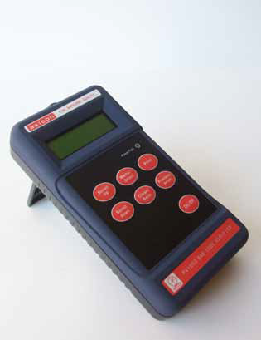
For existing Axicon verifier customers who now find that portability would be beneficial in their quality control there is no need to purchase a new verifier – just add a portable display and collection unit to work with the existing equipment – the Axicon PV-1000. The PV-1000 is lightweight, rugged and easy to use, giving the user a clear and instant go/no-go report on the quality of the barcode.
It is equally at home in the Q.A. laboratory, print room, warehouse or the production line, giving maximum flexibility for checking the barcodes wherever needed. When used in conjunction with any Axicon 6000, 6500, or 7000 series verifier the PV-1000 provides barcode verification to the latest ISO/ANSI and GS1 standards.
Results can be printed directly to an optional printer or saved into memory for subsequent transfer to a PC (using a USB memory stick). The PV-1000 can also save the .scn file to enable the user to have maximum access to all of the diagnostics features through the Axicon PC or Mac software. It can also be used in conjunction with the Axicon “Scan File Data Extractor” to produce quality management analysis spreadsheets.
Adobe Reader is required to open and view PDF files. This can be downloaded free from adobe.com.
Available Documents
Axicon PV1000 portable barcode verifier data sheet- Heavy Duty Industrial Construction
- High Resolution Printing
- Interface Port for Easy Connectivity
- Materials Tracking
- Work-in-Process
- Easy Loading
Label Adhesives
Pressure-sensitive adhesive works not only due to its initial tack, but also its slight absorption into the surface of the label substrate. Because the specific characteristics of different substrates can prevent the absorption of adhesive and therefore weaken its adhesion, it is important to consider the substrate material and texture, its shape and its temperature at application.
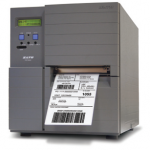
View ProductSato LM4e Strong AND Durable Printer
FEATURES
Epson GP-M831 Printer
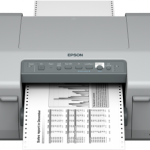
Offering a more flexible alternative to dot matrix technology, the GP-M831 combines the sturdiness of a dot matrix printer with the advantages of inkjet, such as wider media compatibility and higher-quality prints. Unlike dot matrix printers, the versatile GP-M831 can print advanced barcodes and crisp text, and can be used with a variety of media, including glossy paper and labels.
View Product
X1Jet HP Stitch MK2
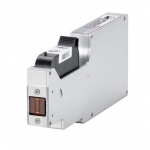
The Markoprint X1JET Stitch is a self-contained inkjet printing system that uses tried-and-true HP Class printing technology. Its space-saving electronics are hidden behind the cartridge, allowing it to be installed in confined areas. This entry system is especially useful for printing many 12.5 mm print pictures at the same time, which is typical in multi-lane deep-drawn packaging plants. To print a larger print image (up to 100 mm) , up to 8 X1JET Stitch printheads can be cascaded . The patented Click’n’Print cartridge holder makes replacing cartridges a breeze at any time. The SmartCard function of the system detects the ink cartridge and automatically sets all parameters.
View Product






