
EasyGo! InventoryHealthCare
Summary
EasyGo! InventoryHealthCare transforms your handheld into a stocktaking device for inventory management at your hospital or pharmacy. Especially designed for healthcare environments, use this application at your Hospital or Health Care centres to easily control your stock, such as medicines, equipment or other inventory. Next to the possibility to capture a zone, the location, and a quantity this applications allows as well for adding to each stock item healthcare specific data-fields such as batch and expiry dates. When stocktaking is complete, the data is uploaded to your host system for management reports and further processing.
Description
EasyGo! InventoryHealthCare application allows inventory management of any type of stock, with or without barcodes labels in your Healthcare environment. Capture the barcode of each the stock item, or in case there is no barcode available simply key in the product id. Add the quantity to each item and most importantly register the batch and/or lot numbers including the expiration dates.
Optionally you can ask the operator to identify the zone and location for easy product location tracking. It’s that easy!
EasyGo! InventoryHealthCare also allows the operator to check and edit previous inputs or to amend an error. When the inventory is done, the data is ready to be uploaded, via cradle or WiFi, to the host.
EasyGo! InventoryHealthCare workflow is fully customisable. The operator is prompted to provide zone, location, item, quantity, batch, expiry date, as necessary, all set according to the end-user’s inventory requirements. The workflow can be set up to loop on item and quantity until the inventory in that location is completed, or the operator can be required to re-enter the location for each item.
There is almost always a fit to each way of conducting inventories.
Languages
English
Spanish


Adobe Reader is required to open and view PDF files. This can be downloaded free from adobe.com.
Available Documents
EasyGo! In&Out&Dispatch

Summary
Manage your receiving, shipping and warehouse transfers with a simple, customizable and quick application. When completing a receipt and shipping process in a warehouse mainly order number, product ID and involved quantity are required. In the case of warehouse transfers will take place (dispatch) additional information such as source and destination location next to the product ID and quantity are needed. EasyGo! In&Out&Dispatch will manage the registration of incoming and outgoing goods into your warehouse. Additionally it allows an ‘automatic mode’ for receiving, shipping and dispatching; simply read the product barcodes and the application will do the rest!
View ProductS84-ex SERIES
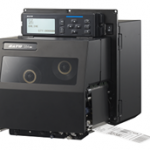
The S84-ex and S86-ex offer significant industry advancements in quality imaging, exceptional throughput, and incomparably easy operation, setup and maintenance. The new generation of SATO print engines delivers flexibility and convenience, providing customers with numerous interfaces as well as tool-less maintenance, and optional wireless LAN and Bluetooth allow for even greater connectivity in continuously changing […]
View ProductTest Software
software 1
View ProductZebra ZT510 Industrial Printer
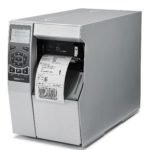
ZEBRA ZT510 – NEXT-GENERATION PRINTING THAT IS BUDGET-FRIENDLY
Designed to strike the ideal balance between performance and value, the Zebra ZT510 includes the core features you need in an industrial printer at a cost-effective price point.
View Product