

Spirits Labels
Labels for the spirits category of alcoholic beverages (gin, vodka, rum, whiskey, bourbon, tequila and brandy) have to look great on the store shelf but also must be eye-catching on the back wall of a bar to get a customer’s attention. Clear film labels can let the color of your product show through or can make your design float on the bottle. And clear beverages allow a back label to show through from the front to add to the design or create a three-dimensional effect.
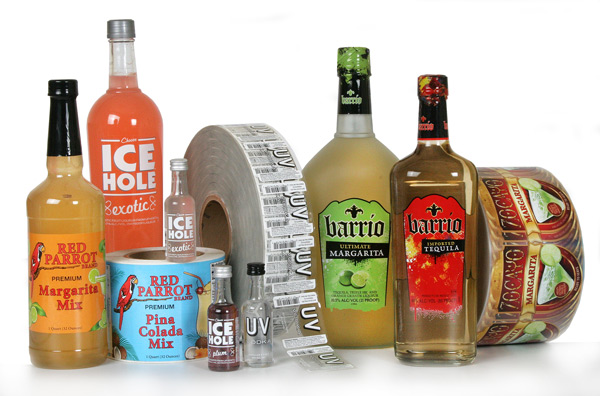
A good looking custom label both identifies and sells your brand.
Weber can print your labels on a wide variety of materials that will set your brand apart from the competition. We can help with intricate die cuts and special designs for irregularly-shaped bottles.
|
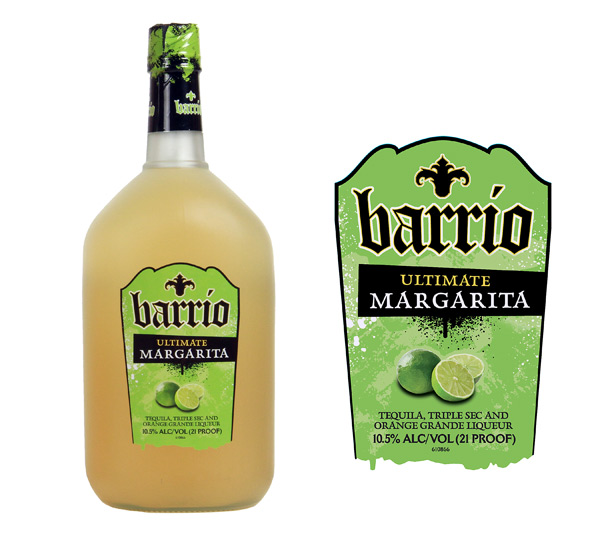
Margarita Labels This spirits margarita label is printed on clear film material with an intricate die cut that makes the shiny label jump off of the satin-finished bottle. This gives the product a very unique look like a frosted margarita glass. The labels are also printed with a film liner that is more reliable against breaks for high-speed automated labeling. These labels were printed on our high-resolution HP digital presses. Label Size: 3.25″ wide x 5.0″ high Facestock: Clear film Print method: Digital Top Coat: None |
 |
Spirits Label Tips
Materials:
- By using a clear label material or metallic foil, you add a perceived value to your product with an up-scale look.
- Be sure to use label materials that will stand up to damp and abrasive conditions as well as frequent handling with product contents contacting the label.
- Always test your label adhesives to make sure they will stick securely to your containers, especially plastic bottles and irregularly curved shapes.
Artwork:
- Your label designs and colors should reflect your brand’s image. Consumers make choices by associating themselves with your product’s image.
- Spirits are much more expensive per bottle than other beverages like craft beers and juices. Make sure your label design is in line with your beverage’s value.
- Keep your design simple but eye-catching. Create patterns on your label or subtle designs using dull or gloss varnishes. Custom die shapes allow you to use interesting shapes for your label.
Adobe Reader is required to open and view PDF files. This can be downloaded free from adobe.com.
Available Documents
Water Bottle Labels
Make sure that you get the right label for your bottled water products. Water-proof film labels work best or, if recycling is important, you can go with a label material that is bio-degradable or easily removable for recycling.
View ProductWeber 5300 – Label printer and dispenser
The new Legi-Air 5300 is a modular Label printer and dispenser distinguished by its extremely versatile applications and a very high operating run time. In addition, the system offers a high degree of operator-friendliness: the operator is supported in his work by several functions such as service interval or operating condition display.
View ProductPrimary labels / pre-printed labels
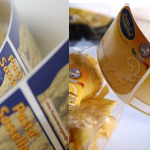
Brands and high-quality products need suitable labels to represent the image and reflect the branding. Weber Marking Systems is geared for the production of high-quality primary and pre-printed labels for any application.
View ProductSymbol DS7708 Scanner
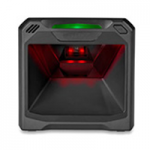
Easy to Deploy, High-Performance, “Can’t Miss” On-Counter Scanning
When it comes to on-counter scanning, the DS7708 scanner offers a feature set that puts it at the top of its class for performance, ease of use, easy deployment and total cost of ownership. With a large field of view that is over 50 percent larger than the competition, the DS7708 easily captures bar codes regardless of where they are located on an item. No matter what type of bar codes appear at the POS, the DS7708 can scan them all: 1D, 2D, printed and electronic.
View Product






