

ZXP Series 7
HIGH PERFORMANCE CARD PRINTERS
Using the latest in Zebra card-printing technology, the ZXP Series 7 provides high-quality card printing. The ZXP Series 7 printer has an innovative design. It automatically adjusts to the thickness of the card, and ribbon loading is easy.With color coded guides and a clear LCD control panel, it’s simple for anyone to use.
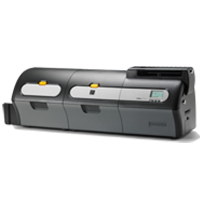

Used For:
- Medium-to-High Volume Applications
- Secure ID & Access Control Cards
- Retail & Hospitality Cards
- Education
- Secure & Batch Issuance
Adobe Reader is required to open and view PDF files. This can be downloaded free from adobe.com.
Available Documents
ZXP 7 BrochureZXP 7 RFID Brochurre
Laser Applicator: Alpha-Laser Label Applicator
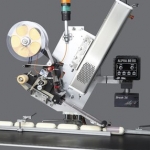
The laser labeling solution comprises an Alpha label dispenser and a Solaris CO2 laser. The Alpha-Laser writes variable additional information such as best before dates, graphics or logistics data on pre-printed labels immediately before application.
View ProductE-Class Mark III Barcode Printer
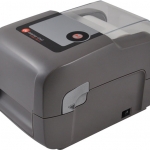
The E-Class Mark III is a family of compact desktop thermal printers that are designed for a wide variety of industries and applications that require a reliable and cost effective barcode printer. Datamax-O’Neil applied its industrial printer expertise to provide customers with an entry level printer that has the features and reliability normally found in more expensive printers. The E-Class Mark III is affordable to own, easy to use and economical to operate.
View ProductPLUSMARK – Premium Wax
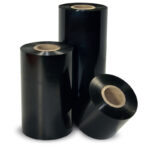
PLUSMARK is the high performance wax ribbon from Weber. It offers all
the benefits of a general purpose wax ribbon with an improved print durability
and a capability to print on synthetic label materials.
Zebra ZXP Series 8 Retransfer Card Printer
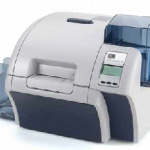
With best-in-class, productivity boosting, full-throttle throughput, produce vivid color plastic cards on demand fast – thanks to Zebra’s highly advanced ZXP Series 8 retransfer card printer and its patent-pending image-transfer process. Yet even at unparalleled print speeds, the printer achieves superior, photo-like image quality that boasts rich, consistent colours and strikingly sharp resolution.
The ZXP Series 8 printer includes ZMotif XML-based software for easy integration with enterprise applications. A modular design gives you the flexibility to add a variety of encoding options as needed.
View Product






