

MC3200 Mobile Computer
Redefine productivity and reliability with the MC3200 mobile computer, the next generation in the class-leading MC3000 Series, now with more options to meet your needs. Choose the right operating system for your business – Android Jelly Bean or Microsoft Embedded Compact 7. Your choice of our most advanced 1-D laser or 1-D/2-D imager scan engine allows your workers to easily capture barcodes in any condition.
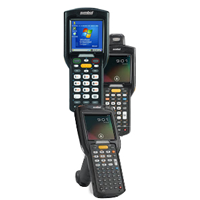
Supports both Android Jelly Bean and Microsoft Embedded Compact 7
You get the flexibility to choose the leading operating system that best meets the needs of your business and your workers. And the ability to swap operating systems allows you to future proof your investment.*
(*OS swap is only supported on Premium CE and Android Configurations. Devices must be sent to a service depot to perform the OS swap.)
Extensions (Mx) by Zebra Technologies fortifies Android for the enterprise
Integrated into Android, Mx adds the features needed to transform Android from a consumer operating system (OS) to a true enterprise-class OS, including security, device management and support for enterprise data capture capabilities.
The power to support the most demanding applications
A dual core 1 GHz processor, your choice of 2 or 4 GB of Flash memory and up to 32 GB of additional SD memory provides the power to run multiple complex applications — simultaneously.
Unparalleled barcode scanning performance improves productivity
Whether you choose the 1-D laser or 2-D imager engine, your workers get our most advanced scanning technology, able to capture barcodes as fast as they can press the trigger — regardless of whether items are in hand or on high racks in the warehouse, or whether barcodes are scratched, poorly printed or dirty.
Enhanced battery design
The new all-in-one combination battery/battery door provides one-step fast battery changing.
Three lightweight models bring all day comfort to scan intensive jobs
Mix and match brick, gun-style or rotating turret form factors with three different keypads to streamline data capture for different types of workers.
Cost-effectively upgrade from any MC3000 Series model
Accessory compatibility allows you to upgrade to the latest mobile technology — and preserve existing technology investments.
Adobe Reader is required to open and view PDF files. This can be downloaded free from adobe.com.
Available Documents
MC3200 Spec SheetLabel Coatings
Our special manufacturing capabilities and broad selection of matte and gloss varnish coatings and laminates help improve the appearance and long-lasting performance of your labels.
View Product
MC1X PERSONAL SHOPPER
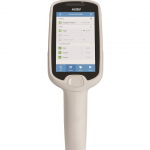
ACHIEVE CUSTOMER SERVICE EXCELLENCE AND ASSOCIATE PRODUCTIVITY
Add value to the customer experience with targeted promotions and offers based on buying preferences. Empower store associates to more efficiently manage inventory and pricing at the shelf edge. Reduce your overhead costs and improve customer loyalty with the MC Series multi-function retail mobile computer.
View ProductA+ and XD Label Printers
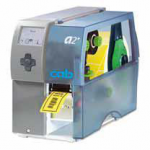
Regardless of whether the A+ printer is operated as a stand-alone solution, a PC application or in a network, it is always up to the mark! The high-speed processor ensures fast job processing and immediate label output.
View ProductDatalogic Falcon X3
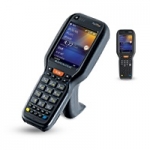
Falcon X3 is perfect for a variety of Warehousing and larger retail in store environments including stock counts, merchandising, pick and pack, and goods in/goods out applications.
View Product






