

Furniture Polish Labels
When creating a family of furniture care products such as conditioners and oils, be sure to let the customer see exactly what they will be putting on their expensive wooden treasures. By using clear labels and containers, the buyer can see the products inside, showing your quality ingredients. And since your customer will be concerned about the ingredients, your label needs to show caution information and detailed instructions.
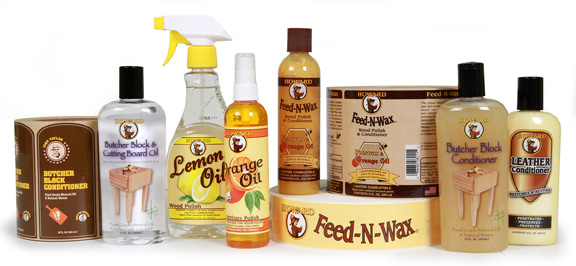
Use the right materials and labels to highlight your wood care products.
The label also needs to be durable as it will be handled repeatedly, often with the contents dripping on the label. This could lead to important label directions becoming unreadable. Always use the right label materials for your labels and consider lamination to make your label look better and last longer.
Furniture Care Product Label Tips
Materials:
- Flexo label printing allows bright colorful labels in up to 10 colors on clear film materials.
- Expanded text booklet labels with multiple layer construction let you include large amounts of text for ingredients, caution and handling instructions.
- Durable label materials hold up to harsh storage conditions and consumer handling.
Artwork:
- Adding lamination to your label will help it look better and last longer.
- Custom die shapes can match your label to the lines of the container.
- Matching front & back labels can enhance a products design.
- Be sure to add your social media sites and a QR to engage your customers.
All labels can be applied using a label applicator system.
Adobe Reader is required to open and view PDF files. This can be downloaded free from adobe.com.
Available Documents
Booklet Labels
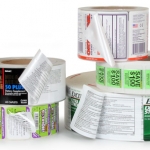
Many products, especially medicines and nutraceuticals, need to provide additional information to their customers regarding dosage and safety concerns. While space on a container is limited, you can get around that limitation by using a booklet label.
View ProductZebra’s Compact ‘Keyboard Display Units’ (KDUs)
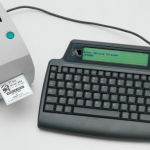
Avoid the need for bulky host computers with Zebra’s compact keyboard display units (KDUs). When the KDU is connected to a Zebra printer, you simply retrieve stored forms, enter variable data and print labels in a stand-alone operation. Use Zebra KDUs in a variety of applications to save valuable work space.
View ProductMC1X PERSONAL SHOPPER
ACHIEVE CUSTOMER SERVICE EXCELLENCE AND ASSOCIATE PRODUCTIVITY
Add value to the customer experience with targeted promotions and offers based on buying preferences. Empower store associates to more efficiently manage inventory and pricing at the shelf edge. Reduce your overhead costs and improve customer loyalty with the MC Series multi-function retail mobile computer.
View ProductAxicon PV-1072 Portable Barcode Verifier
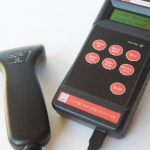
Once more Axicon has used its innovative skills and detailed knowledge of the barcode quality market to offer you the best in portable barcode verification. Introducing the Axicon PV-1072 – the ideal hand-held portable barcode verifier. Whether your priority is compliance, accuracy, reliability, ease of use, capability or cost this verifier ticks all of the boxes. Everything is geared to making the job easier – which means the job gets done quicker.
View Product






