

EasyGo! PODLite
Summary
Manage your deliveries with a simple, customizable and powerful proof of delivery solution. EasyGo! PODLite allows for adding additional comments at the point of activity ensuring the highest customer satisfaction. In addition to the delivery registration EasyGo! PODLite also incorporates the registration process for collecting packages from the costumer site at the very same moment the operator delivers the packages.
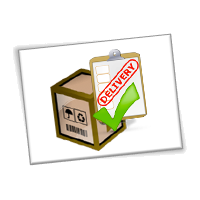
Description
EasyGo! PODLite manages your deliveries easily and securely.
Once the POD terminal is filled with the relevant basic information such as Delivery Id, Address, Number of Packages the delivery can start! You can start delivering your packages now! Optionally it is possible having detailed information on the content of each package available for the operator should this it be required to match security or delivery instructions.
When starting the delivery process the operator will see a complete overview on all deliveries to do, sorted on predefined settings by the host/planning system. When the operator arrives to the delivery destination, he only needs to verify the delivery data, add comments if necessary, i.e. ‘missing box’ (the comments can be predefined in a master file), and asks the customer’s signature as proof of delivery.
EasyGo! PODLite is simple to setup as it only needs one single master file with the basic information of the all deliveries to do. If it is required for the delivery process additional information can be provided to the operators such as:
– Details of each package for each delivery, package code and description, delivery instructions
– Warnings and comments.
At the point of activity EasyGo! PODLite allows also for collecting packages as it includes a process to add new activities easily. Just enter the name or customer ID, address details, number of packets and the signature of your customer (optional) and the collection is created!
Finally, upload the register of your deliveries to the host via cradle or Wi-Fi.
Languages
English
Spanish


Adobe Reader is required to open and view PDF files. This can be downloaded free from adobe.com.
Available Documents
RFID Smart Labels
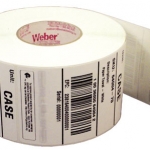
Weber is applying its expertise as a leading manufacturer and supplier of pressure-sensitive labels to provide the finest in RFID smart labels. Our innovative method of inserting the RFID inlays fits seamlessly within our label conversion process. And because we manufacture the RFID smart labels ourselves, we’re able to offer RFID media that will maximize performance and minimize costs.
View ProductArmor AWR8 Thermal Transfer Ribbon
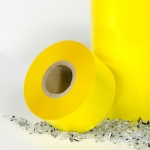
AWR®8 is the very latest generation of ARMOR wax ribbon. It is a competitive ribbon that doesn’t make any compromise to quality and printing performance. AWR®8 matches all criteria expected by a traditional wax application.
View ProductRF-Lite
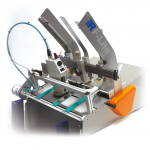
Low-cost offline coding system; ideal for companies looking to automate their date marking process for the first time.
View ProductEasyGo! Meter Reading
Summary
Fully customizable tool to read your customers metering devices: gas, power, water… Any kind of metering device can be checked. Manage the meters of your company with just a few clicks. Optionally, use predefined routes to guide your operator (meter devices out of the route can be processed also). Finally, use the device camera to take a photo of the meter: a picture is worth a thousand words!
View Product






