

Furniture Polish Labels
When creating a family of furniture care products such as conditioners and oils, be sure to let the customer see exactly what they will be putting on their expensive wooden treasures. By using clear labels and containers, the buyer can see the products inside, showing your quality ingredients. And since your customer will be concerned about the ingredients, your label needs to show caution information and detailed instructions.
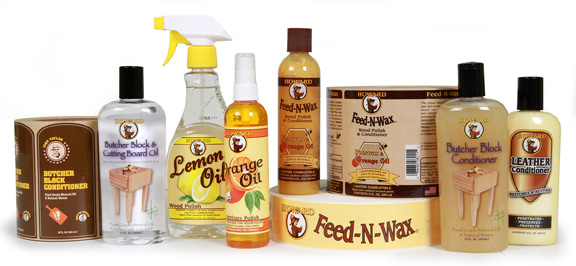
Use the right materials and labels to highlight your wood care products.
The label also needs to be durable as it will be handled repeatedly, often with the contents dripping on the label. This could lead to important label directions becoming unreadable. Always use the right label materials for your labels and consider lamination to make your label look better and last longer.
Furniture Care Product Label Tips
Materials:
- Flexo label printing allows bright colorful labels in up to 10 colors on clear film materials.
- Expanded text booklet labels with multiple layer construction let you include large amounts of text for ingredients, caution and handling instructions.
- Durable label materials hold up to harsh storage conditions and consumer handling.
Artwork:
- Adding lamination to your label will help it look better and last longer.
- Custom die shapes can match your label to the lines of the container.
- Matching front & back labels can enhance a products design.
- Be sure to add your social media sites and a QR to engage your customers.
All labels can be applied using a label applicator system.
Adobe Reader is required to open and view PDF files. This can be downloaded free from adobe.com.
Available Documents
Zebra ZT400 Series Printers
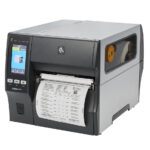
The ZT400 Series builds on the field-proven reliability of the Z Series with advancements in print speed, print quality and connectivity options. Designed for ease of use, the ZT400 Series printers offer an intuitive icon-based LCD graphical user interface and easy supplies loading. And, they include standard USB, Serial, Ethernet and Bluetooth® capabilities. Expanded RFID capacities deliver greater tracking abilities, deeper visibility and enterprise insights.
View ProductBooklet Labels
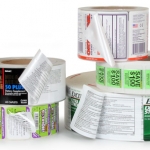
Many products, especially medicines and nutraceuticals, need to provide additional information to their customers regarding dosage and safety concerns. While space on a container is limited, you can get around that limitation by using a booklet label.
View ProductSustainable Labels

We offer a number of sustainable label products, including renewable films and papers, 100 percent post-consumer waste papers, dis-solvable and reputable papers, soy-based inks, and more. We believe that what is good for business can be better for the environment. We do not believe that being green has to cost more; no packaging professional should accept that. Here at Weber, we pledge to strive to develop products and process that improve our environment and our bottom line.
XC4, XC6 – the GHS label printers for two-color printing
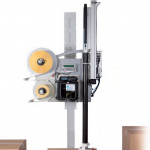
Two in-line arranged thermal transfer print units for simultaneous two-color printing in one label.
With ribbon saver at one print unit.
View Product






